Just find an efficient and cost-effective solution to the above tasks — DigSee SURE.
Let’s adjust your input conditions and clarify the respective outputs. Suppose your activity involves any of the following:
- survey process or questionnaire design;
- elaboration of questionnaires, forms or reports;
- conduction of marketing programs;
- research of trade turnover;
- sociological research;
- reporting;
- monitoring of mobile staff activity;
- expansion of your activity to other regions.
Then application of DigSee SURE would guarantee the improvement of your business management and expand your business horizons. In general, it will allow you to outbid your competitors due to more refined and sophisticated operation with sociological information, and will also allow you to enter the information in situ, where it is most effective, e.g. during your interview with a client or respondent.
This mobile solution is compact enough to be placed in a shirt pocket. Therefore, the solution allows one to enter any reports and forms outside of one’s office. This solution is economically justified. Moreover, it is designed for operation not only by computer wizards, but would satisfy the needs and skills of common users.
DigSee SURE consists of several components, which make it possible to elaborate the questionnaire structure and scope, to enter, search, check correctness, transfer and export the questionnaire arrays. The system delivery includes only the set of modules which are required and ordered by the particular customer.
What particular problems can be solved by DigSee SURE?
At your office: create and edit templates for any questionnaire or form
Using this system, in contrast to other professional and expensive software packages, you can achieve these goals very conveniently, simply and fast. The system is specially designed and targeted for solving very definite and particular tasks — therefore, it is made to be understandable, simple and effective. The KISS principle (Keep It Simple and Stupid) was used by the developers as a non plus ultra requirement.
Thus, in the form and questionnaire it is possible to set special rules, which would not allow particular input errors. For the questions in a questionnaire you can set a control of intervals (syntactical control); define mandatory or optional questions; set a “smart” navigation through the questionnaire depending on the answers of the respondent; formulate logical rules, which will allow you directly after input to find discrepancies in the filled form or identify “lapses of logic” in the answers of respondents.
At your office: effective input of questionnaires, forms and reports using a desktop or notebook
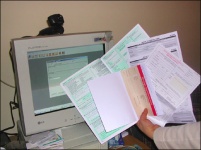
In most software packages designed for the input of questionnaires, an attempt is made to present a computer image of a “paper questionnaire”. Data entry in such a form becomes quite cumbersome. Therefore, an alternative “question — answer” approach is proposed, which is more natural for operator perception. Questions are sequentially displayed to the operator, and he or she enters the respective answers.
Upon each entry, each answer is checked for errors: for example, the year of birth cannot be less than 1900 and more than 2002. As another example, a person’s surname should be entered as obligatory, while his or her hobbies are optional and can be omitted. In case the transition from question to question is preset in the questionnaire, depending on the answer of the respondent, this would be executed automatically. For example, the answer “There are no goods displayed in your show-window” would result in omitting the questions “How much goods are displayed in the show-window?” or “Are all of them visible to the customers?”
Upon tracing the errors, the system draws the attention of the operator to them both by displaying the respective message and by a beep sound. When the end of the questionnaire is reached, the questionnaire will be analysed using special logical rules, and, in cases of error or a non-standard answer, the attention of the operator will be drawn. Here, options could be set either to edit such a questionnaire immediately or to postpone its analysis until later — within the identified group of “questionnaires containing errors”.
An important feature of the program is the optimisation of keyboard input of questionnaires. This feature significantly speeds up the input process for a large scope of questionnaires. On the other hand, the system also has the option of mouse-supported input of questionnaires and forms.
SURE network version — for multiuser input of questionnaires on many workplaces in local or Intranet networks
DigSee SURE can operate either by the principle “one computer — one workplace — one data repository”, or by the principle “many workplaces — many computers — one data repository”.
The network version of the software allows several operators to work simultaneously with a uniform repository. This technology is based on the client-server technology, while SQL Server is used as a reliable data repository.
Organise input of questionnaires and forms on remote workplaces and in remote departments
Due to the subsystems of import and export of templates and questionnaire arrays, it is possible to organise distributed input of questionnaires, forms and reports in remote departments using workstations and notebooks without network capabilities. As for the data exchange, the required files may be transferred using floppy disks, CDs, e-mail, etc.
Mobile users get a possibility to receive questionnaire templates on a Palm handheld both in the office and remotely — in the field
A possibility to fill in the required form during your meeting with a client (interview with a respondent) — what can be more lucrative? Palm SURE is simple in usage, cost-effective and effective. The user interface, which “walks the user through” screen by screen and requires no special training or computer skills from its users, has been developed on the basis of our long-term experience.
Thus, it is possible to transfer data either in the office, using a simple technology where the user places a handheld into a special “cradle”, or remotely — via modem, mobile GSM/GPRS connection or even the Internet!
Storage, search and editing of questionnaires. Export for further analysis
At the central office, the DigSee SURE system allows you to effectively find, view and organise the storage of questionnaire arrays. Thus, the system allows you to export and compile arrays of questionnaires, to search for a questionnaire, to switch fast to the required questionnaire or question. Managers can analyse the questionnaires marked as incorrect to define any illogicality in them.
For further analysis, it is possible to speedily export files into the common .csv format (it is supported by the majority of statistical packages) or directly into Microsoft Excel.
DigSee SURE modules
You can see more detailed information on how you can broaden the horizons of your business at:
DesktopPC/Notebook SURE
Create templates, enter and check questionnaires on a desktop or notebook, export them for analysis.
Learn more →Network SURE
Questionnaire entry from many workplaces in a local or Intranet network with a single data repository.
Learn more →Mobile SURE
Fill in questionnaires on a phone or handheld right at the meeting with a client and send them to the office.
Learn more →Communication servers
Servers that exchange questionnaires and templates with mobile devices: start-up, address, port and settings.
Learn more →